Give your playlist posters, progress and a fast live guide
Add your M3U playlist or Xtream Codes login to start. Your movies and series get posters, plots and ratings. Each episode continues from the second you stopped. Large playlists and big guide files stay quick to browse.
Download Vuleo Player free today. It needs no Vuleo account and shows no ads.
The App Store apps are temporarily unavailable. On a Mac, download Vuleo for Mac and allow it once in System Settings. On iPhone and iPad, the browser player works with PRO. You can keep it on your Home Screen, and your source must use https://.
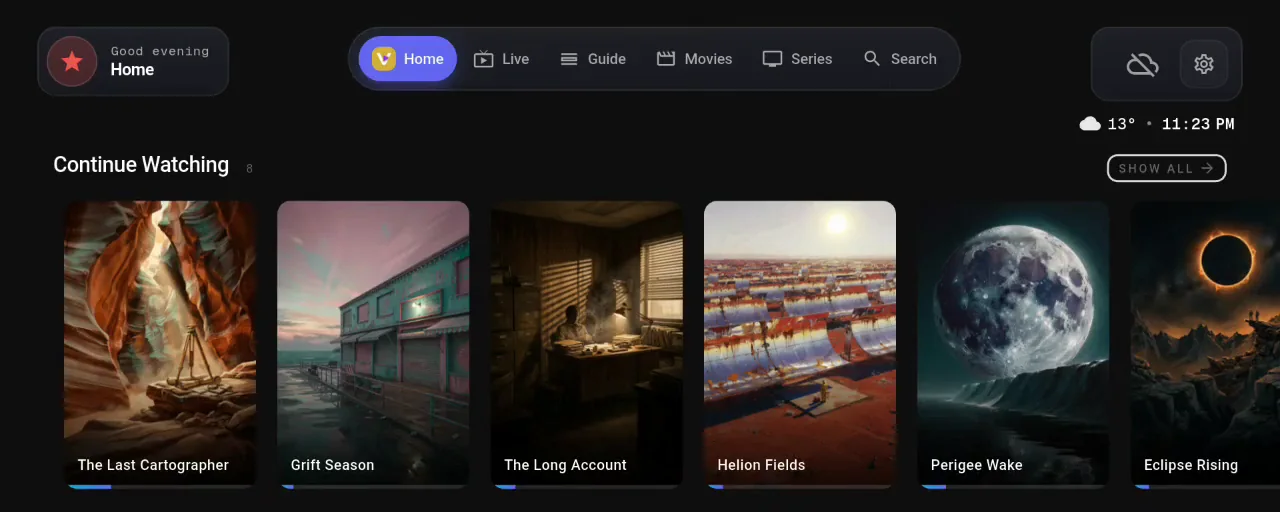
A separate screen for live TV, movies and series
A live channel, a movie and a series are three different things to watch. Each one gets a screen built for it.
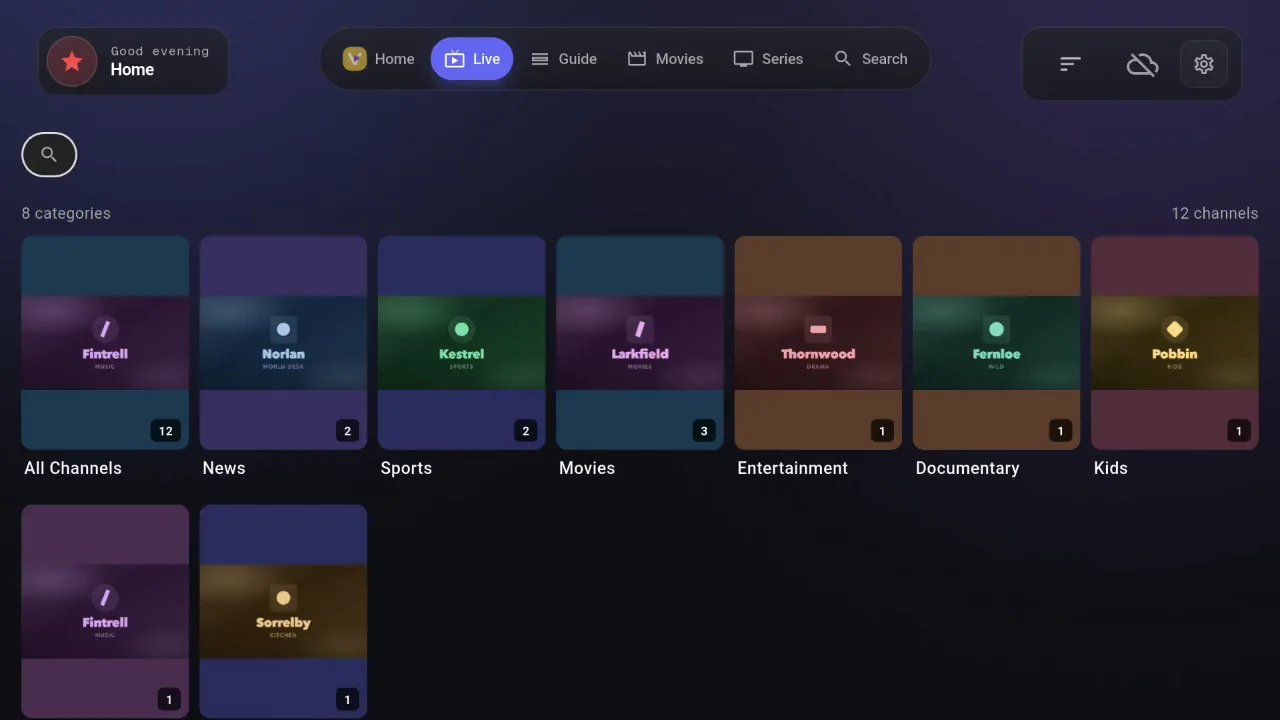
Vuleo sorts the channels from your source into categories. The electronic program guide (EPG) shows what is on now and what comes next. An ON AIR badge marks each program that is broadcasting.
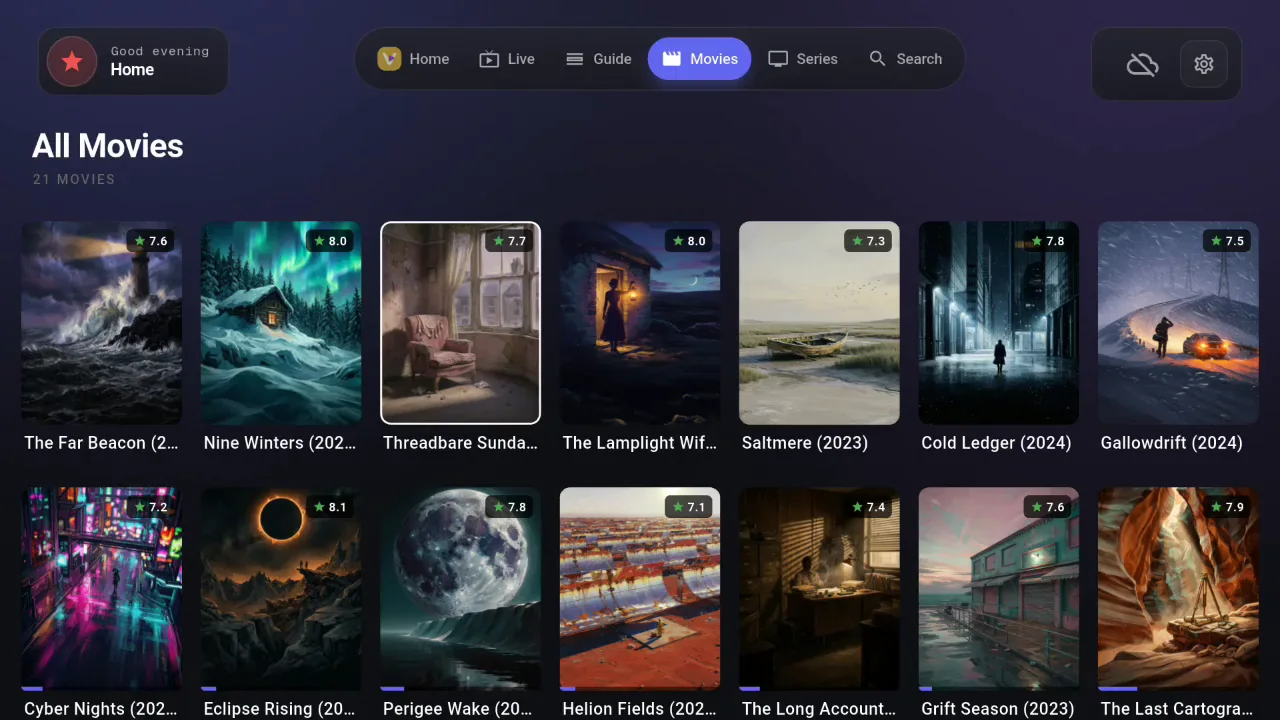
Vuleo shows posters, plots, ratings and runtimes from TVDB. The layout looks like a streaming service. Vuleo remembers where you stopped in each film.
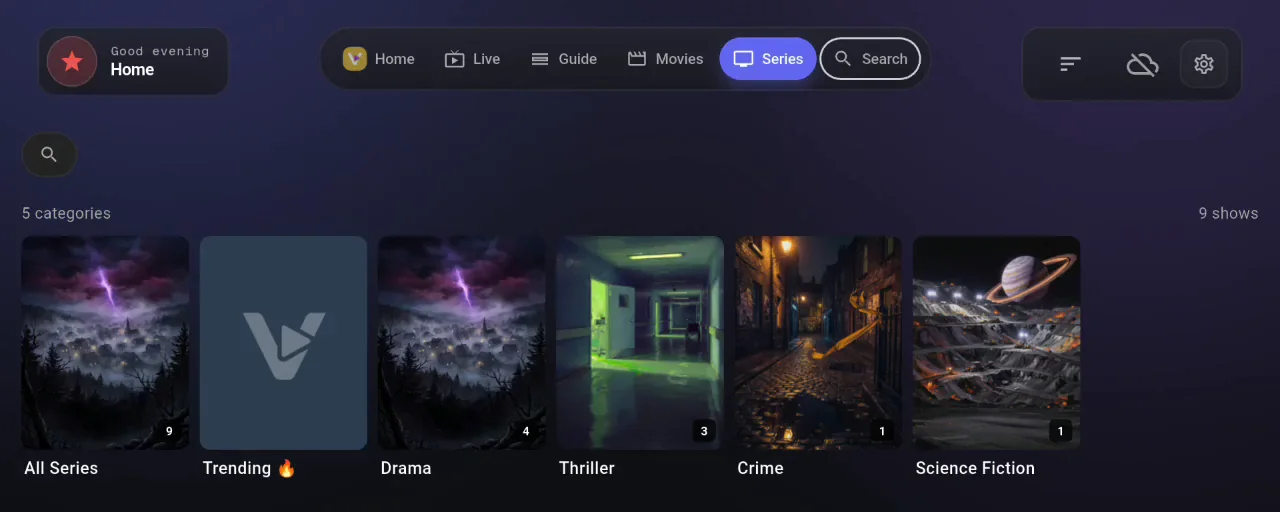
Vuleo sorts seasons and episodes for you. It tracks your progress in each episode and has the next one ready.
Vuleo Player in your browser
The same player runs in a browser tab. Your sources, channels and Continue Watching row are all there. You do not need to install anything on the computer you use.
A browser can do less than the app. The notes below explain the limits. Downloads, Chromecast and picture-in-picture work only in the app.
We check your PRO subscription first, because the player is a download of about 20 MB. The browser player is included with PRO at no extra cost.
You are using an iPhone or iPad. Browsers on these devices use
WebKit. WebKit does not load a source served over plain
http://. A source on https:// works normally.
Waiting for Google…
Your PRO is confirmed
The browser player needs PRO
See PRO plansCouldn’t check your subscription
- Chrome or Edge on a computer. The browser player runs on a secure page. Your source must therefore use
https://. - Plain
http://needs the app. A browser blocks it on a secure page. The Vuleo app has no such restriction. - iPhone, iPad and Safari. Browsers on iOS use WebKit. WebKit does not load a plain
http://source at all. iOS is also stricter than a desktop browser about video formats. - Local servers are out of reach. The browser cannot reach
localhostor your home network. Use the app for these sources. - PRO subscription. The browser player is a PRO feature.
On iPhone, iPad or Mac
The Apple apps are temporarily unavailable on the App Store. On a Mac, you can download Vuleo directly. On iPhone and iPad, you can use Vuleo in your browser. You can keep it on your Home Screen like an app. It opens in a separate window, without the browser bars.
iPhone and iPad
- Open this page in Safari, sign in above and open the player.
- Tap the Share button, then tap “Add to Home Screen”.
- Open Vuleo from the new icon and sign in with the same Google account.
Mac
- Download Vuleo for Mac, open it and drag Vuleo onto Applications.
- Open Vuleo. macOS says Apple could not verify it, because this build is not notarized by Apple. Click “Done”.
- Open System Settings, go to Privacy & Security, scroll down and click “Open Anyway”. You do this once for every new version.
Install Vuleo on a Fire TV Stick or Fire TV Cube
Vuleo is a media player. It includes no channels, streams or content, and links to none. You add your sources after installing.
- On your Fire TV, open the Amazon Appstore and search for “Downloader”. Install Downloader by AFTVnews, the app with the orange icon. It is free.
- Open Downloader by AFTVnews and select the URL field. Type the code
5469298. Select Go, and Downloader fetches the installer directly. - Select Install when prompted. When the install is done, open Vuleo from your Apps & Channels row. Then add your source.
What the free app includes
The free version includes everything in this list. There is no account to create and nothing to unlock.
- Continue watching
- Movies and episodes start again at the second where you stopped. A Continue Watching row on the home screen helps you find them.
- Built for Android TV & Fire TV
- Vuleo supports full D-pad navigation. The focus rings are easy to see from the sofa. The TV layout is designed for viewing from across the room. It stays usable with more than 300,000 items.
- No playback limits
- Vuleo does not limit how much of your sources you play. There is no cap to reach.
- Trending & new
- Vuleo matches popular and newly added titles against your library. The home screen row then shows what your sources can play. Titles that are not in your sources are marked.
- M3U & Xtream Codes
- Use a single playlist URL or a full Xtream Codes login. Both standards use the same setup screen.
- Favorites & categories
- Star as many channels, movies and series as you like. Hide the categories you do not use. Sort the others from A to Z or by size.
- No full-screen ads
- Vuleo shows no ads between screens and no ads before a video. No banner covers the player.
- Built-in EPG
- Vuleo reads standard XMLTV guides in the background. Guide files larger than one gigabyte still load.
What PRO adds to Vuleo Player
PRO lets you cast to the TV, sync across devices and watch offline. One subscription works on each device where you sign in with Google. It has no device limit.
- Cloud SyncPRO
- Playlists, favorites and watch history sync to all your devices through your Google Drive. The data is encrypted in transit.
- Chromecast supportPRO
- One tap sends a movie, episode or live channel from your phone to the TV.
- Offline downloadsPRO
- Save titles from your sources and play them with no connection. Downloads stay on the device for 30 days.
- EPG searchPRO
- Search the guide by title or keyword and go directly to the result. The search covers all channels and time slots.
- Catch-Up TVPRO
- If your source offers catch-up, Vuleo plays it directly from the guide.
- TraktPRO
- Sync your watchlist and log what you watch to Trakt. You also get recommendations based on your viewing.
- Personalized picksPRO
- Vuleo builds recommendation rows from what you watch. The rows change as your viewing changes.
- Subtitle customizationPRO
- Set the size, color and style of subtitles to suit your eyes.
- New content alertsPRO
- The home screen marks new titles in your sources as they appear.
PRO is an optional subscription. One purchase unlocks PRO on each device where you sign in. You can see the PRO plans on the pricing page.
Devices Vuleo Player runs on
Your library is the same on each of your devices.
| Platform | Devices | Get it |
|---|---|---|
| iOS | iPhone, iPad | The browser player, saved to the Home Screen. The App Store app is temporarily unavailable. |
| Android | Phone, tablet | Google Play or the Android APK |
| Android TV | Fire TV, Google TV | Google Play, or sideload on Fire TV |
| Windows | Windows 10+ | Download for Windows |
| Web | Chrome, Edge, Safari | The browser player, with PRO |
| macOS | MacBook, iMac | Download for Mac, or the browser player. The App Store app is temporarily unavailable. |
| Apple TV | tvOS, Apple TV 4K | Temporarily unavailable on the App Store |
Download Vuleo Player
Vuleo Player is free for everyone. PRO adds more features when you want them. You need no account to start.
The App Store apps are temporarily unavailable. On a Mac, download Vuleo for Mac and allow it once in System Settings. On iPhone and iPad, the browser player works with PRO. You can keep it on your Home Screen, and your source must use https://.
Legal notice
Vuleo is a media player for content you have the legal right to access. It does not provide, host, or link to channels, movies, or any other content. It plays only the sources you bring to it. Vuleo is not affiliated with any content provider, broadcaster, or rights holder.
You must have the legal right to use anything you add. Checking this is your responsibility. The Terms of Use give the full detail. The Privacy Policy lists everything we collect.